DISCLAIMER: The information in this guide is for informational and educational purposes only and does not constitute legal, financial, or tax advice. We are not licensed tax advisors or financial professionals. The tax laws and regulations discussed are complex and subject to change and interpretation. Consult with a qualified tax professional to understand how these provisions apply to your organization’s specific circumstances.
For most of the solar industry’s history, tax-exempt organizations were effectively locked out of the financial incentives that made solar affordable for businesses and homeowners. Nonprofits don’t owe federal income tax, which meant the Investment Tax Credit, the single largest solar incentive, was inaccessible.
That changed in 2022 when the Inflation Reduction Act introduced elective pay (also known as direct pay), allowing tax-exempt organizations to receive the value of the solar ITC as a direct cash refund from the IRS. The One Big Beautiful Bill Act (OBBBA), signed into law on July 4, 2025, preserved the direct pay mechanism but accelerated the timeline for solar projects and introduced new compliance requirements. For a qualifying solar installation, the IRS pays your organization the equivalent of 30% of the system’s cost, even though you don’t owe taxes.
On a $200,000 solar installation, that’s a $60,000 check from the IRS.
The process involves a multi-step IRS registration and filing sequence that requires careful attention to timelines, documentation, and forms. This guide walks through each step so your organization understands what’s involved before, during, and after installation.
One important note before we begin: under the OBBBA, solar projects that begin construction after July 4, 2026 must be placed in service by December 31, 2027 to qualify for the credit. Projects that begin construction before that date have more flexibility under standard IRS safe harbor rules. The window is narrowing, and the sequential nature of the direct pay process: install first, then register, then file — means planning needs to start well in advance.
What Direct Pay Is (and Who It’s For)
Direct pay is not a separate tax credit. It’s a mechanism established by the Inflation Reduction Act and preserved by the OBBBA that allows specific types of organizations that don’t owe federal income tax to claim certain clean energy tax credits as if they had tax liability, and then receive the resulting “overpayment” as a cash refund.
For solar projects beginning in 2026, the relevant credit is:
Section 48E (Clean Electricity Investment Tax Credit): The technology-neutral investment credit that replaced the original Section 48 credit for property placed in service after December 31, 2024. Under the OBBBA, Section 48E remains available for solar projects that begin construction by July 4, 2026. Projects starting construction after that date must be placed in service by December 31, 2027.
The base credit rate is 30% of eligible project costs for qualifying systems.
Who Qualifies
The IRS defines “applicable entities” eligible for elective pay as organizations exempt from tax under Section 501(a) of the Internal Revenue Code. In practical terms, this includes:
- 501(c)(3) nonprofits (community organizations, food banks, social service agencies, arts organizations)
- Churches, synagogues, mosques, and other religious organizations
- Public and private schools and universities
- Hospitals and healthcare nonprofits
- State and local governments
- Tribal governments and Alaska Native Corporations
- Rural electric cooperatives
- Public utilities (like municipal electric companies)
Your organization must own the solar system to claim the credit. Leased systems, where a third-party owns the panels and sells you the electricity, are not eligible for elective pay by the nonprofit. In that arrangement, the third-party owner claims the credit.
However, some lease arrangements may be considered financing rather than a true lease for federal tax purposes, which could make the organization eligible. This is an area where coordinated planning between a Sundra commercial representative and your tax counsel is essential.
How Much Your Organization Can Receive
For solar systems under 1MW (which covers the vast majority of nonprofit installations), the math is straightforward:
Base credit: 30% of total eligible solar installation costs.
On a $150,000 system, the direct payment is $45,000. On a $200,000 system, the direct payment is $60,000. On a $300,000 system, the direct payment is $90,000.
The credit amount can potentially increase through bonus adders:
Domestic Content Bonus (+10%): Available if the project meets domestic manufacturing requirements for steel, iron, and manufactured products. The OBBBA introduced stricter domestic content thresholds and new Prohibited Foreign Entity (PFE) rules that restrict the use of components sourced from certain foreign entities of concern — primarily Chinese manufacturers. Projects beginning construction in 2026 and later are subject to these restrictions. Work with your installer to verify supply chain compliance before committing to a domestic content election.
Energy Community Bonus (+10%): Available if the project is located in a qualifying energy community (areas with closed coal mines or power plants, or with significant employment in fossil fuel industries).
Low-Income Community Bonus (+10% or +20%): Available by application for projects under 5MW located in low-income communities, on tribal land, in qualifying low-income residential buildings, or providing economic benefit to low-income households. These adders have limited allocations and are awarded through a competitive process.
For a nonprofit that qualifies for the base credit plus one or more bonuses, the total direct payment could reach 40-70% of total system costs.
Important Limitations
There is a special rule regarding grants and forgivable loans. If your organization receives grant funding or forgivable loans that cover a significant portion of the project cost, the combined value of the grant plus the tax credit cannot exceed the total cost of the investment. If it does, the credit amount is reduced.
This is particularly relevant for nonprofits that have received earmarked funding for a solar project. If more than 70% of your system cost is covered by restricted funding sources, the excess will reduce your direct pay amount. A waiver may be available in certain circumstances, consult your tax advisor.
For systems over 1MW, additional prevailing wage and apprenticeship requirements apply. The OBBBA also introduced Prohibited Foreign Entity (PFE) restrictions that affect component sourcing for all projects beginning construction in 2026. For systems under 1MW, these restrictions primarily affect eligibility for bonus credits. For systems over 1MW, PFE non-compliance can reduce or eliminate the base credit entirely. Most nonprofit installations fall well under the 1MW threshold, but verify supply chain compliance with your installer regardless of system size.
The Direct Pay Process — Step by Step
The direct pay process has two main phases: IRS pre-filing registration (which happens after your system is operational) and tax return filing (which triggers the actual payment). Here’s each step in sequence.
Before You Begin — Prerequisites
Your solar system must be placed in service before you can register for direct pay. “Placed in service” means the system is installed, operational, and generating electricity. You cannot register a system that hasn’t been commissioned yet.
You should also determine which tax year applies to your project. For most tax-exempt entities, the relevant tax year is the calendar year in which the system is placed in service. If your organization’s tax year doesn’t follow the calendar year, pay special attention to which tax year applies.
Plan to complete pre-filing registration at least 120 days before your tax return filing date. The IRS may take up to 120 days to review your submission, and you need the registration number before filing.
For most tax-exempt organizations, tax returns are due approximately 4.5 months after the close of the tax year (May 15 for calendar-year organizations). Working backward, that means registration should ideally be submitted by mid-January for a system placed in service during the prior calendar year.
Step 1 — Access the IRS Portal and Create an Account
Navigate to the IRS IRA/CHIPS Pre-Filing Registration Tool at https://www.irs.gov/credits-deductions/register-for-elective-payment-or-transfer-of-credits. (Note: the IRS portal still uses IRA-era naming even though the credits have been modified by the OBBBA.)
Select “Authorize a Clean Energy Account” to begin the process.
The IRS uses ID.me for identity verification. If you already have an ID.me account, sign in. If not, you’ll need to create one, which requires government-issued photo identification.
Important: at this stage, you’re verifying your personal identity as the authorized representative — not your organization’s information. You’ll link to your nonprofit’s account in the next step.
Step 2 — Authorize Your Organization’s Account
After signing in, you need to authorize an Energy Credits Online account for your nonprofit.
From the landing page, select “Start Authorization.” Enter your nonprofit’s Employer Identification Number (EIN), your personal information as it appears on your most recent personal income tax return, and your nonprofit’s official legal name and address as they appear on past tax filings.
You’ll need to attest that the information is accurate and that you have legal authority to act on behalf of the organization.
The IRS verifies the information you provide against their records. Discrepancies, even minor ones in how names or addresses are formatted, can cause authorization to fail. Double-check that everything matches your organization’s IRS records exactly.
Step 3 — Navigate to the Registration Dashboard
After authorization, you’ll be taken to a “Welcome to your business online accounts” page listing all entities for which you’re authorized. Select your nonprofit.
On the next page (“Welcome to IRS Clean Energy”), locate the box titled “Clean Energy and Semiconductor Manufacturers” (this is the designated area for clean energy credits — the label applies to all eligible entities, not just manufacturers). Click “GET STARTED” to access the main credits dashboard.
Before proceeding further, opt in to email notifications so you receive alerts when your registration status changes. If you don’t opt in, you’ll need to manually check the portal for updates.
Step 4 — Complete the Registration Application
Click “REGISTER” on the dashboard to begin the multi-page application.
General Information (4 pages):
Page 1: Enter your organization’s tax period end date, EIN, and legal name. For Registrant Type, select “Organization exempt from the tax imposed by subtitle A by reason of Section 501(a) of the Code.”
Page 2: Enter your nonprofit’s mailing address.
Page 3: Enter your organization’s bank account and routing number. This is how the IRS will issue the direct payment.
Page 4: Indicate which types of federal returns your organization has filed in the last two years (such as “Employment tax (Form 94X series)” or “Exempt organization (Form 990 series)”).
Credit Selection:
Select the appropriate credit for your solar project. For systems placed in service in 2025 or later, select Section 48E, Clean Electricity Investment Credit.
Facility/Property Information:
You must create a separate registration for each individual solar installation. Click “ADD FACILITY/PROPERTY” and provide:
- Placed-in-service date (when the system became operational)
- Physical location including state, county, and GPS coordinates
- Source of funds (general/unrestricted funds, forgivable loans, or restricted grants; this affects the payment calculation)
- Supporting documents including proof of ownership and permits to operate
- For projects beginning construction in 2026 or later: supply chain documentation demonstrating compliance with the OBBBA’s Prohibited Foreign Entity (PFE) restrictions, particularly if electing bonus credits
Step 5 — Submit and Monitor Status
After entering all information, submit the registration package. Your ability to make changes is locked during review.
Monitor your submission through the “Your Registrations” panel on the dashboard. Status indicators include:
- Awaiting Assignment — submitted, not yet reviewed
- Under Review — actively being evaluated
- Returned – Open — the IRS needs additional information or corrections (respond by the specified deadline to maintain your place in the review queue)
- Returned – Closed — missed the response deadline; resubmission treated as new
If your status shows “Returned – Open,” respond promptly. Missing the deadline means your case is closed and any resubmission starts from scratch at the back of the queue.
Step 6 — Receive Your Registration Number
Once approved, the IRS issues a unique registration number for each registered facility/property. You’ll need this number for the tax return filing.
Step 7 — File for Payment on Your Tax Return
Receiving a registration number does not complete the process. You must make the formal elective payment election on a tax return.
File Form 990-T (Exempt Organization Business Income Tax Return). This form is required even if your organization doesn’t normally file it, it’s the vehicle for making the elective pay election.
Attach Form 3468 (Investment Credit). This is the source credit form for the Section 48/48E Energy Credit.
Attach Form 3800 (General Business Credits). Enter your registration number on this form to connect the credit to your registered property.
On Form 990-T, report the full credit amount on the “Elective payment election amount” line (Part III, line 6g).
Step 8 — Receive Your Payment
After the IRS processes your return, the refund is issued for the overpayment created by the elective payment election. Payment is issued electronically to the bank account provided during registration, or by mail.
Important: the IRS may not issue payment until the return due date. This means there will be a gap between when you pay your solar installer and when you receive the direct payment. Your organization should plan for this cash flow timing when budgeting for the project.
Timeline Planning for Nonprofits Considering Solar
Given the registration requirements and filing deadlines, here’s how the timeline typically works:
If you want to receive payment in 2027 for a system placed in service in 2026:
Q1-Q2 2026: Evaluate solar options, assess roof condition, select installer, finalize project scope. Begin construction by July 4, 2026 if possible (provides maximum timeline flexibility under OBBBA rules).
Q2-Q3 2026: Install and commission the solar system. System must be placed in service before registration.
Q3-Q4 2026: Submit pre-filing registration at least 120 days before you plan to file your tax return (early submission is better).
Q1 2027: Receive registration number(s) from IRS.
By May 15, 2027: File Form 990-T with elective payment election and all required attachments.
Q2-Q3 2027: Receive direct payment from IRS.
The entire process from project initiation to payment typically spans 12-18 months. Working with a tax advisor familiar with the elective pay process is essential for managing these timelines correctly.
Why Roof Condition Matters for Nonprofit Solar
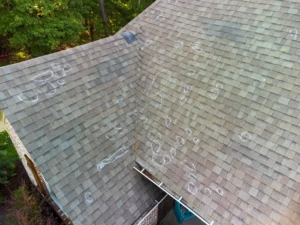
Many nonprofits occupy older buildings: churches built decades ago, community centers with aging infrastructure, schools with roofs that have deferred maintenance. Before investing in solar, the condition of your roof needs honest evaluation.
If your roof has fewer than 10 years of remaining life, installing solar panels creates a future problem. You’ll eventually need to remove the solar array, complete the roof work, and reinstall. A costly and disruptive process.
Sundra handles both commercial roofing and solar installation, which allows us to assess roof condition as the first step in any solar conversation. If your roof needs work, we can coordinate both projects, potentially completing roof replacement and solar installation as a single coordinated scope. This protects your solar investment and prevents the expensive rework that catches many organizations off guard.
Find Out If Solar Makes Sense for Your Organization
Direct pay makes solar ownership financially viable for nonprofits in a way that wasn’t possible before 2022. But the incentive window is narrowing, and the process requires careful planning and professional guidance.
If your organization is considering solar, we can help you understand what a system would look like for your building, assess your roof condition, and provide realistic cost and production estimates. For the tax and filing components, we recommend working with a qualified tax professional experienced in elective pay.
Nonprofit Solar Direct Pay FAQs
Direct pay (elective pay) is a mechanism introduced by the Inflation Reduction Act and preserved by the OBBBA that allows tax-exempt organizations to receive the value of the solar Investment Tax Credit as a cash refund from the IRS. For a 30% ITC, the IRS pays your organization 30% of the solar installation cost directly, even though you don’t owe federal income tax.
Eligible organizations include 501(c)(3) nonprofits, churches, schools, hospitals, state and local governments, tribal governments, rural electric cooperatives, and other entities exempt from tax under Section 501(a). The organization must own the solar system to claim the credit.
The base credit is 30% of total eligible installation costs. Additional bonus credits of 10% each may be available for domestic content, energy community location, and low-income community location. For a $200,000 installation, the base direct payment is $60,000.
Under the OBBBA, solar projects that begin construction after July 4, 2026 must be placed in service by December 31, 2027 to qualify for the Section 48E credit. Projects that begin construction before that date have more flexibility under standard IRS safe harbor rules. Starting earlier provides more timeline flexibility and reduces construction deadline risk.
No. The solar system must be placed in service, meaning operational and generating electricity, before you can register for pre-filing. Plan your project timeline accordingly, allowing at least 120 days between registration submission and your tax return filing date.
File Form 990-T (Exempt Organization Business Income Tax Return) with Form 3468 (Investment Credit) and Form 3800 (General Business Credits) attached. Your IRS registration number must be included on Form 3800.
From project initiation to receiving the direct payment typically takes 12-18 months. This includes project evaluation, installation, commissioning, IRS registration (allow 120 days), tax return filing, and IRS payment processing.
Your organization needs to file Form 990-T to make the elective payment election, even if it doesn’t normally file this form. The filing creates the mechanism for the IRS to issue the refund.